Chrome Remote Desktop not connecting: what to check
In short: Chrome Remote Desktop most often fails to connect because of an antivirus or firewall, restrictions of a work network or account, or an outdated Chrome. Below are the checks from Google’s official help and answers to common questions.
Check the internet
Both sides need an internet connection to share or access a computer. If remotedesktop.google.com does not open, start with the computer’s network settings.
Check the antivirus and firewall
According to Google’s help, your antivirus or firewall must allow:
- outbound UDP traffic;
- inbound UDP responses;
- TCP on port 443 (HTTPS);
- TCP and UDP on port 3478 (STUN).
If any of these is blocked, the connection may fail. Turn protection off briefly to test, or add Chrome Remote Desktop to the exceptions.
Work or school network, managed account
Google’s help warns that a work or school network may not let you give others access, and on a managed account the administrator controls access to Chrome Remote Desktop. In that case only the administrator can help.
Update Chrome
Google recommends using the latest version of Chrome or Chrome OS. Update the browser on both sides and try again.
The access code for remote support
If you are helping someone through “Remote Support”:
- the access code works only once — a new connection needs a new code;
- the person sharing their computer confirms every 30 minutes that they want to keep sharing.
If the code does not work, ask for a new one.
If nothing helped
If everything checks out and there is still no connection, try another service on the same devices — that tells you whether the network or the app is the problem. RudyDesk does not need a Google account for this: the other person opens an invite link in any browser — Chrome, Edge, Safari or Firefox. The link is single-use, valid for 15 minutes, and the connection still has to be accepted.
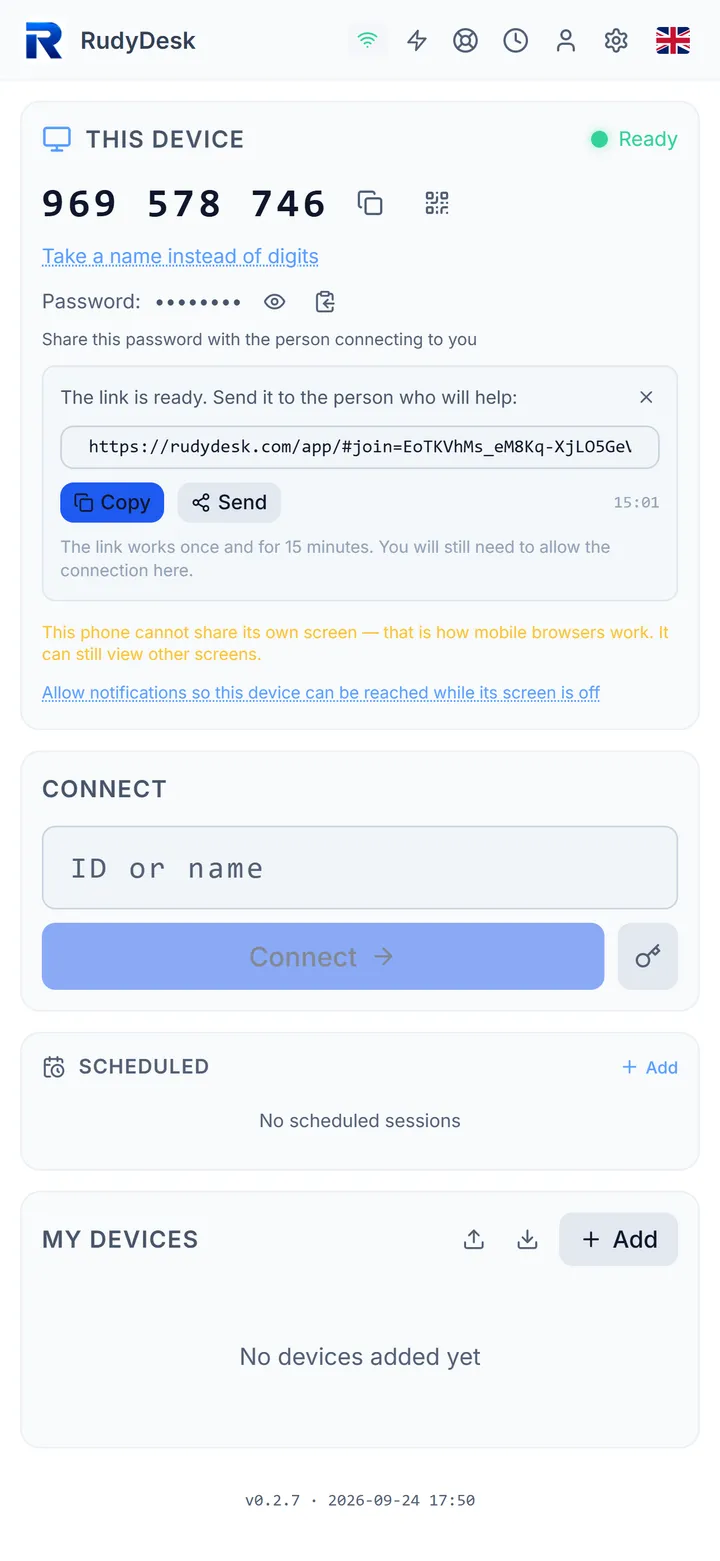
If a direct connection is impossible (strict NAT, a corporate firewall), RudyDesk sends traffic through a relay that forwards already encrypted data. And if there is still no connection, the app has a “Why won’t it connect?” check that shows step by step where the problem is.
A detailed comparison is on the page “Chrome Remote Desktop alternative”.
Frequently asked questions
Why does the access code not work a second time? According to Google’s help it is single-use: every connection needs a new one.
Why does a “keep sharing?” question appear every half hour? When you share your computer, Chrome Remote Desktop asks every 30 minutes whether to keep sharing — that is how Google’s help describes it.
Does RudyDesk need a Google account? No. You connect by device ID or with an invite link.