2 devices — free forever

Control your
devices
from anywhere

Free remote desktop for PC, Mac, Android and iPhone. P2P connection, end-to-end encryption, two devices free forever.

Tired of expensive AnyDesk and TeamViewer subscriptions? RudyDesk solves the same problem: two devices are free forever, with no session time limits. You only pay for more machines.

RudyDesk
RudyDesk
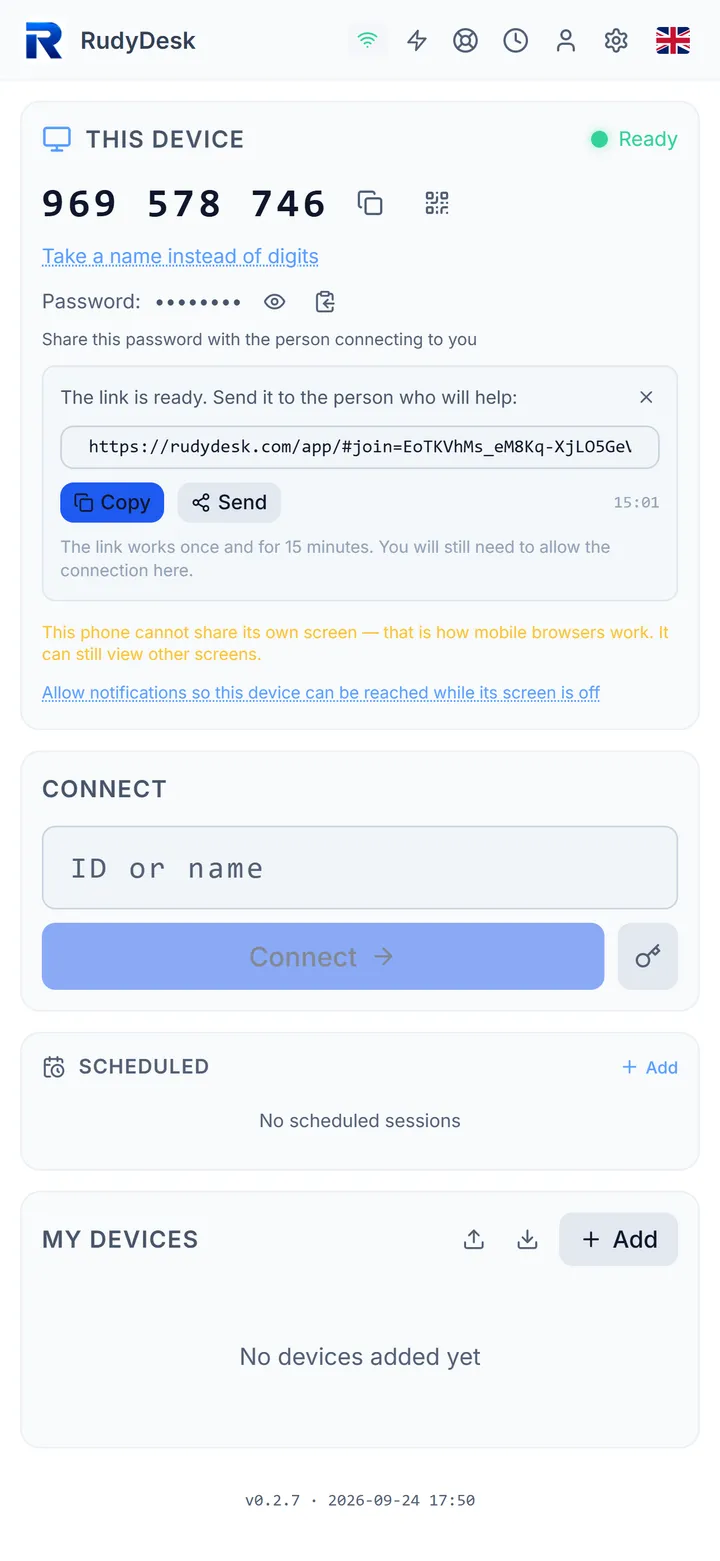
482 751 930
Ready to connect
Online
What problems RudyDesk solves

In plain words — why you need remote access and why you do not have to pay for it

Reach your work PC from home

Left a file on the office computer? Need an app that is only installed at work? Connect to your work PC from your home laptop in 10 seconds.

Help parents and family

Mum cannot set up the printer? Grandma needs software installed? Connect to their computer and show them what to do. Like sitting next to them, but over the internet.

IT support for clients

Are you a sysadmin or a freelancer? Connect to client PCs for setup and repair. The client installs nothing — a browser is enough.

Control a PC from your phone

Need to stop a torrent? Check a download? Start a render? Open RudyDesk on your phone and control your home PC from anywhere.

✅ Our strengths

  • 2 devices free forever — no time limits, no "commercial use detected"
  • Runs in the browser — the client downloads and installs nothing
  • End-to-end encryption — the server never sees your screen, files or passwords
  • Your own server — deploy on your VPS for full control
  • All platforms — Windows, Mac, Android, iPhone from one app
  • Chat + files + terminal — no extra programs needed

⚠️ Honest about the downsides

  • Young project — we launched in 2025, AnyDesk and TeamViewer have more experience
  • WebRTC limits — peak quality depends on the browser (Chrome gives the best result)
  • No UAC/Secure Desktop — a browser cannot click Windows UAC buttons (an agent is needed)
  • No TURN server — if P2P fails (strict NAT), the connection will not be established
  • Small community — fewer users and testers than competitors, for now
  • No mobile host — you can control a PC from a phone, but not the other way round (yet)

Everything you need. Nothing you don't.

Free alternative to AnyDesk with enterprise-grade security

Instant Connection

Enter a 9-digit ID, press Connect. Connected in seconds via WebRTC P2P.

E2E Encryption

All data encrypted with DTLS-SRTP. Server cannot see session content.

All Platforms

Windows, macOS, Android, iPhone. Install as an app right from the browser.

Screen Sharing

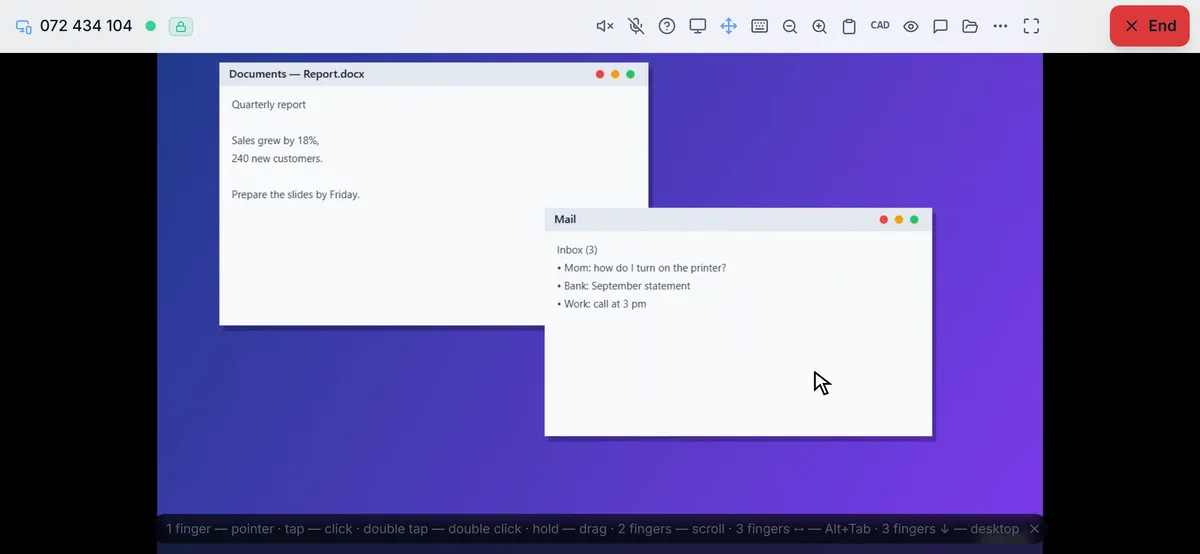
View and control remote desktop. Up to 60 FPS on local network.

Unattended Access

Set a permanent password — connect without being present at the PC.

7 Languages

Русский, English, Deutsch, Polski, Español, 中文, العربية. Switch with one click.

Phone Control

Virtual trackpad, keyboard, gestures. Control your PC from Android or iPhone like a real mouse.

Multi-Monitor

Switch between remote PC screens during a session. No reconnection needed.

Desktop App

Portable EXE for Windows: built-in agent, tray, autostart. Download and go.

Two-Factor Authentication

TOTP 2FA via Google Authenticator. Recovery codes. Protection even if your password leaks.

Built-in Chat

Chat with the remote user during a session. P2P, no server — via DataChannel.

Clipboard Sync

Copy text and images between devices. Real-time automatic synchronization.

Remote Terminal

Execute commands on the remote PC with E2E encryption (ECDH + AES-256-GCM). Command whitelist.

Adaptive Bitrate

Automatic quality adjustment based on network speed. Minimum latency even on slow connections.

Session Handoff

Transfer a session to a colleague with one click. No reconnection — instant handoff.

Enterprise Features

LDAP/SSO, multi-tenant, device groups, audit, Prometheus metrics. For businesses of any scale.

RudyDesk vs AnyDesk vs TeamViewer

Honest comparison. No marketing tricks.

Feature
RudyDesk
AnyDesk* TeamViewer* RuDesktop*
Free devices2 forever1 (limited)1 (5 min limit)Any number, 2 h/day
Free for personal useNo restrictionsMay get blockedSessions cut off2 hours a day
Business costfrom $2/mofrom ~$15/mofrom ~$25/mofrom ₽2,000/mo (~$25)
Works in browser (PWA)✓ PWAPartlySelf-hosted only
No installation (client).exe required.exe requiredClient needed
P2P encryption (DTLS-SRTP)DTLS-SRTPTLS 1.2AES-256TLS 1.3
Two-factor authentication (TOTP)
Self-hosted serverYes, from ₽153,000
Remote terminal (Shell)Pro plan
File transfer✓ + CRC32
In-session chat✓ P2P✓ + voice
Clipboard syncText + images
LDAP / SSOBusiness plan ($12/mo)PaidPaidSelf-hosted only
Prometheus metricsBusiness plan ($12/mo)
PlatformsWin/Mac/Android/iOSWin/Mac/Linux/Android/iOSWin/Mac/Linux/Android/iOSWin/Mac/Linux/Android
Project age2025201420052023

* Competitor data comes from their own sites and documentation (anydesk.com, teamviewer.com — April 2025; rudesktop.ru — September 2026). Prices and terms may change. AnyDesk, TeamViewer and RuDesktop are trademarks of their respective owners.

Detailed comparison with RuDesktop (in Russian) →

Key advantage of RudyDesk: two devices are free forever for any use, it works right in the browser without installation, and you can deploy your own server to not depend on our plans at all.

Try for free

Works Everywhere

Install as PWA right from the browser — no app stores needed

Windows App or browser
macOS App or browser
Android Chrome PWA
iPhone Safari PWA

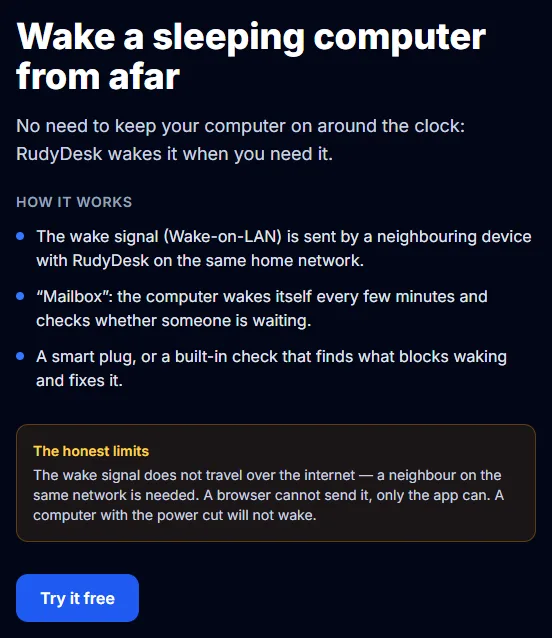
A PC can be reached at any moment, while a phone has to be woken by a notification first — breakdown by device pairs.

From a browser you can watch someone else's screen. To control the mouse and keyboard, the app must be running on the controlled computer — it is on the download page for Windows and macOS, why that is.

Security First

Enterprise-grade protection for personal use

End-to-end Encryption
WebRTC DTLS-SRTP. Relay server has no access to data.
Brute-force Protection
Progressive lockout: 5 attempts → 5 min, 15 → 1 hour, 30 → permanent.
Device Whitelist
Allow access only to trusted IDs. Others are rejected automatically.
Rate Limiting
30 messages/sec per connection. DDoS protection at server level.
No Logging
Server doesn't store session history. All data stays on devices.
Unique Session ID
Each tab/device gets its own ID. No collisions.

Frequently Asked Questions

What is RudyDesk?

RudyDesk is a remote desktop application. An alternative to AnyDesk and TeamViewer: two devices are free forever, with no dropped sessions and no commercial-use checks. Paid plans only add more machines.

What does it cost?

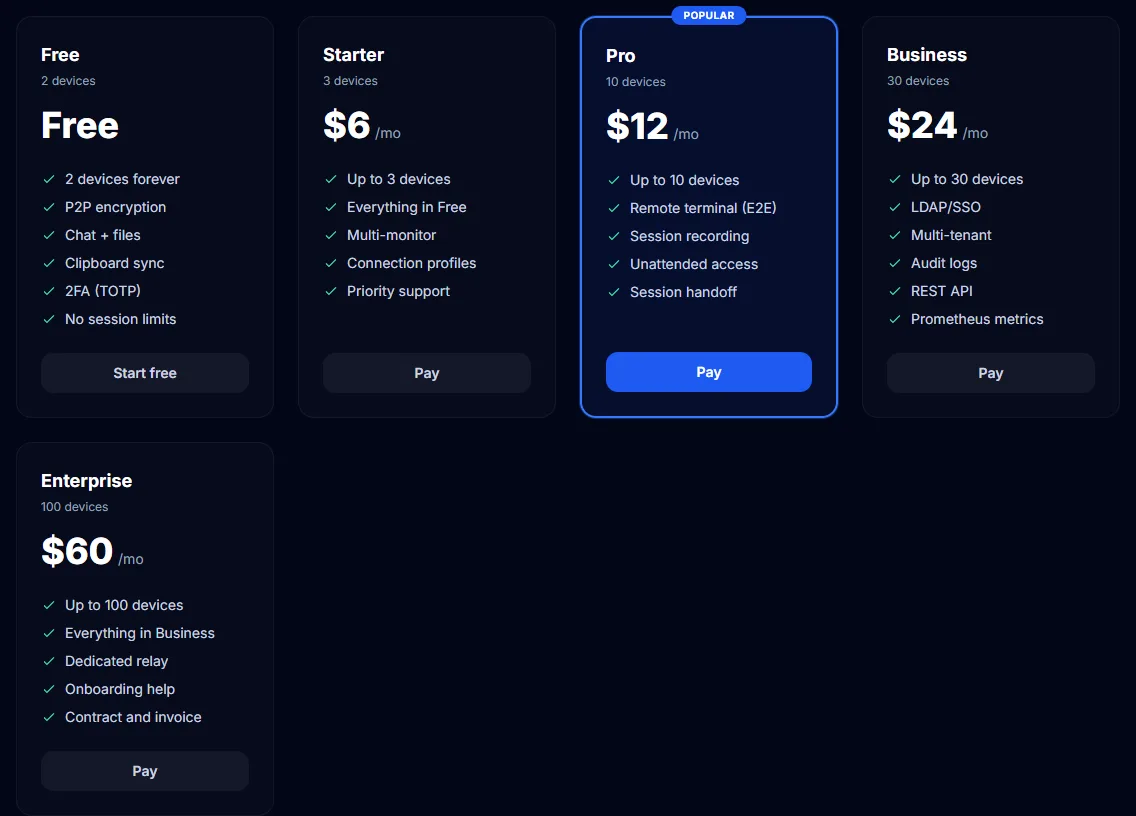
Two devices are free forever, for personal and commercial use alike: no ads, no session time limits, no hidden fees. More machines start at $2 a month; the prices are on the pricing page.

How is RudyDesk different from AnyDesk and TeamViewer?

Three differences that matter: (1) two devices are free forever, with no “commercial use detected” blocks; (2) it runs right in the browser — whoever connects installs nothing; (3) you can run your own server and keep the data entirely to yourself.

Is RudyDesk safe to use?

All connections are end-to-end encrypted (DTLS-SRTP). The server cannot see session content. 2FA, device whitelist, and brute-force protection are supported.

Which devices does it work on?

Windows, macOS, Android and iPhone/iPad. The app runs right in the browser (Chrome, Safari, Edge). Windows also has a portable EXE with the agent — without it a remote screen can only be watched — and your own server deploys on Node.js in five minutes.

Do I need to install anything?

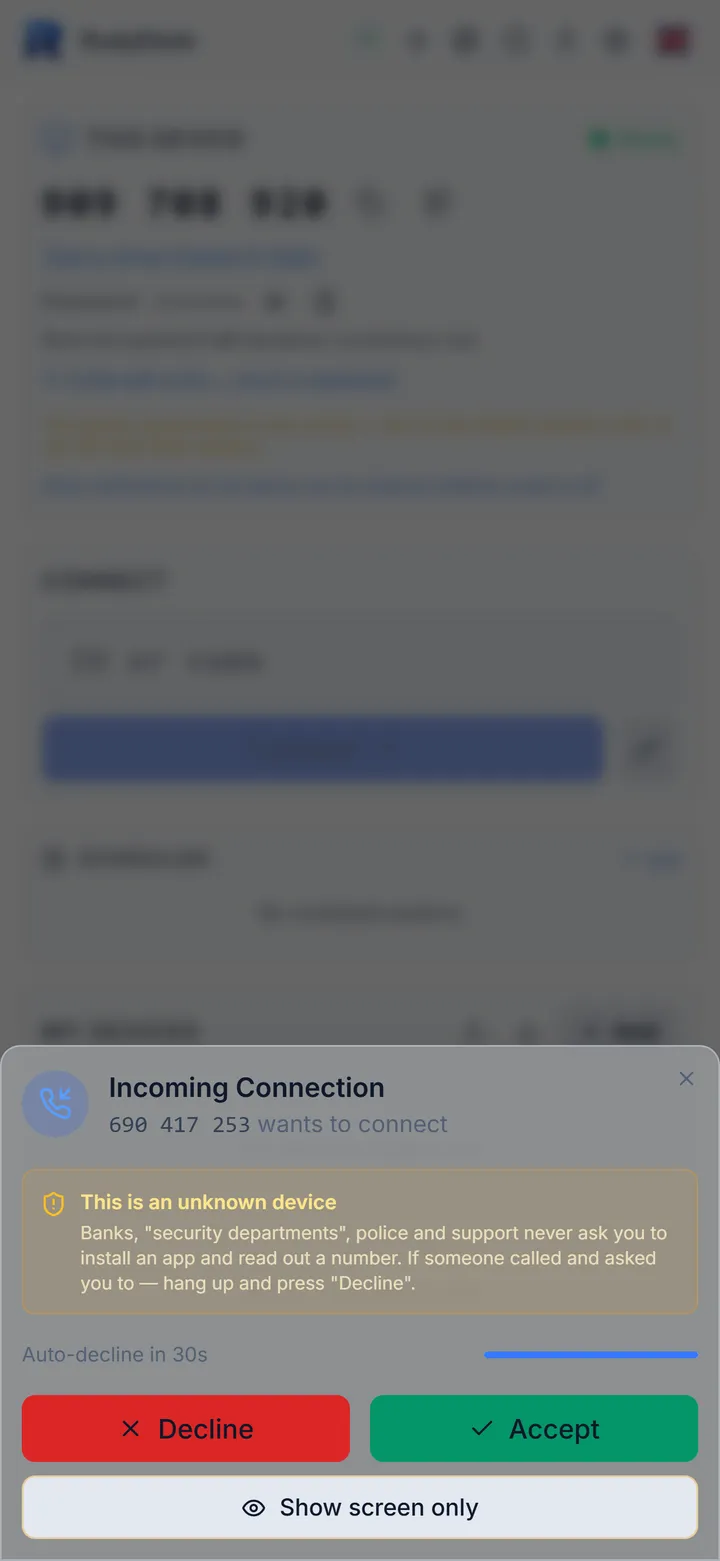
For the client (the one connecting) — no. Just open rudydesk.com in a browser. The host (the one being connected to) needs an agent — a small program that streams the screen. Windows has a portable EXE, other platforms use the PWA.

Why does my phone show "device not found"?

Because a phone is reachable only while the app is open on screen. The screen goes dark and within seconds the device drops off the network. That is how iOS and Android work: a browser app does not hold a connection in the background. There is one fix: allow notifications — then the connection request lands on the lock screen and wakes the phone. On iPhone the app must be added to the Home screen via Safari for that: a regular tab, and Chrome on iPhone, get no notifications at all. Details — what connects to what.

What can I connect to at any time?

A PC running the portable Windows version: it sits in the tray, starts with the system and accepts connections without anyone present — via password and whitelist. No remote access program can do that with a phone: it needs either an open app or a notification to wake it, plus the owner's approval.

I can see the screen but cannot move the mouse. Why?

Because RudyDesk is open in a browser tab on that computer. A tab can show the screen, but is not allowed to move the system cursor or press keys — that is a browser restriction, the same for every remote access service. For full control, run the portable Windows version on the controlled PC: one file, no installation, no admin rights. On the phone you control from, nothing needs installing — a browser is enough. Details — view or control.

Why is it free? What is the catch?

No catch. We earn from paid business plans (3+ devices). The free plan with 2 devices covers what most people need. No ads, no data selling, no hidden limits.

Invite a friend — get +1 device

You have 2 free devices. Want more? Invite friends — both of you get a bonus.

1. Share your link

Open Settings → Referral program and copy your unique link.

2. Your friend signs up

Once your friend installs RudyDesk and enters your referral code, the bonus activates.

3. Both get +1

You and your friend each get +1 device for 2 months. Invite more — get more!

Example: invited 3 friends = 5 devices free (2 base + 3 bonus)

Bonus devices last 60 days from the activation of each invitation.

Ready to try?

Install in 30 seconds. No registration, no credit card.

Download RudyDesk

Got a referral code? Enter it in Settings after installing.