Remote access scams: how to stop anyone controlling your computer
In short: no bank, “security service”, police or tech support will ever ask you to install a remote access app and read out an ID or password. If someone asks for that on the phone, hang up.
How the scam works
It is almost always the same:
- A call or message: “someone is trying to charge your card”, “your computer is infected”, “your account needs protecting”.
- A request to install a remote access app — any app, even the best known.
- A request to read out the device ID and password, or to accept a connection.
- The scammer then sees the screen, opens the bank and transfers money while the victim “waits for the check”.
The remote access app itself is not to blame: it is used as a tool, and the person grants access themselves.
Signs it is a scam
- They call first and rush you: “urgent”, “the money will be gone in five minutes”.
- They ask you to install an app or read out codes from text messages.
- They ask you to tell nobody and not to hang up.
- They claim to be the bank but call from an unknown number or through a messenger.
Rules for you and your parents
- Accept a connection only when you yourself asked someone you know for help.
- Never read out passwords, text-message codes or a device ID to a caller.
- If in doubt, hang up and call the bank yourself on the number on the back of your card.
How RudyDesk protects you
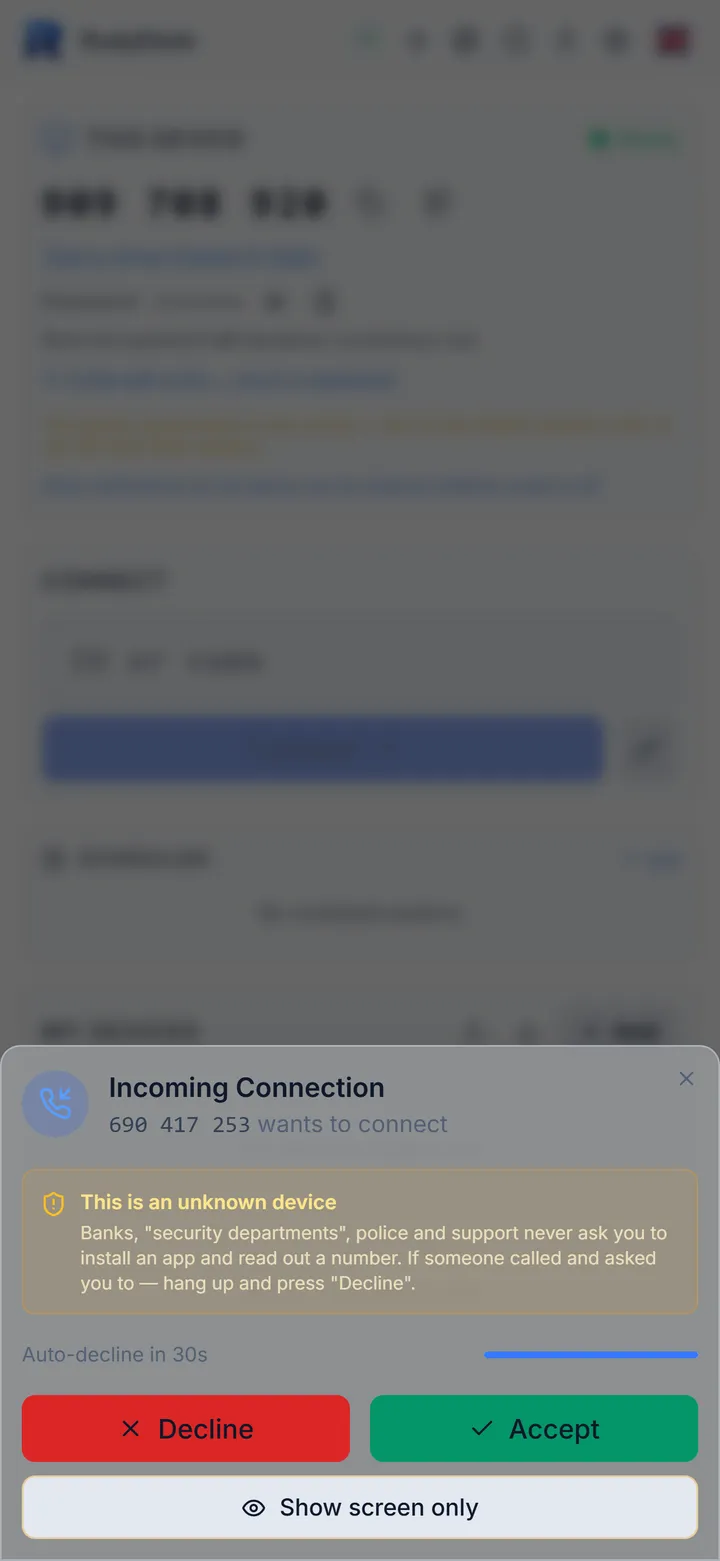
- When an unknown ID connects, the connection window shows a warning that banks, security services, police and support never ask you to install an app and read out a number. It appears before the Accept button.
- You can press “Show screen only” — then nobody can control the computer, only watch.
- If you press nothing, the request is declined by itself after 30 seconds.
- A journal on the computer shows who connected and what they did.
If you have already given access
- End the session immediately or disconnect the computer from the internet.
- Call your bank on the number on your card and ask them to block the cards and online banking sign-in.
- From another device, change the passwords for email, banking and social networks.
- Uninstall the app you installed at the caller’s request and scan the computer with an antivirus.
Frequently asked questions
Can anyone connect to RudyDesk without my consent? On the free plan, no: every connection has to be accepted. Connecting without confirmation is something the computer’s owner turns on, and it works with the Pro plan or above.
What if a scammer sends me an invite link? Only you can create a link to connect to your computer. If someone sends you a link and asks you to open it, that is a reason to hang up.
Where can I see who connected? In the RudyDesk journal on that computer. How to help family safely is in the article “How to help your parents with their computer remotely”.