How to help your parents with their computer remotely
In short: install RudyDesk on your parents’ computer once, and from then on they send you a link with one tap. You connect, they press Accept, and you see and control their screen. Two devices are free forever.
Once: install the app
It is easiest when you are there in person, or over the phone:
- On your parents’ computer, open rudydesk.com/download and install the app for Windows or Mac.
- Start it. The main screen shows the device ID.
- Save that ID in your “My Devices” — it helps if a link does not arrive.
Without the app your parents can still show you their screen right from the browser (rudydesk.com/app), but then you cannot use the mouse and keyboard: the browser does not let web pages move the cursor.
Every time: help by link
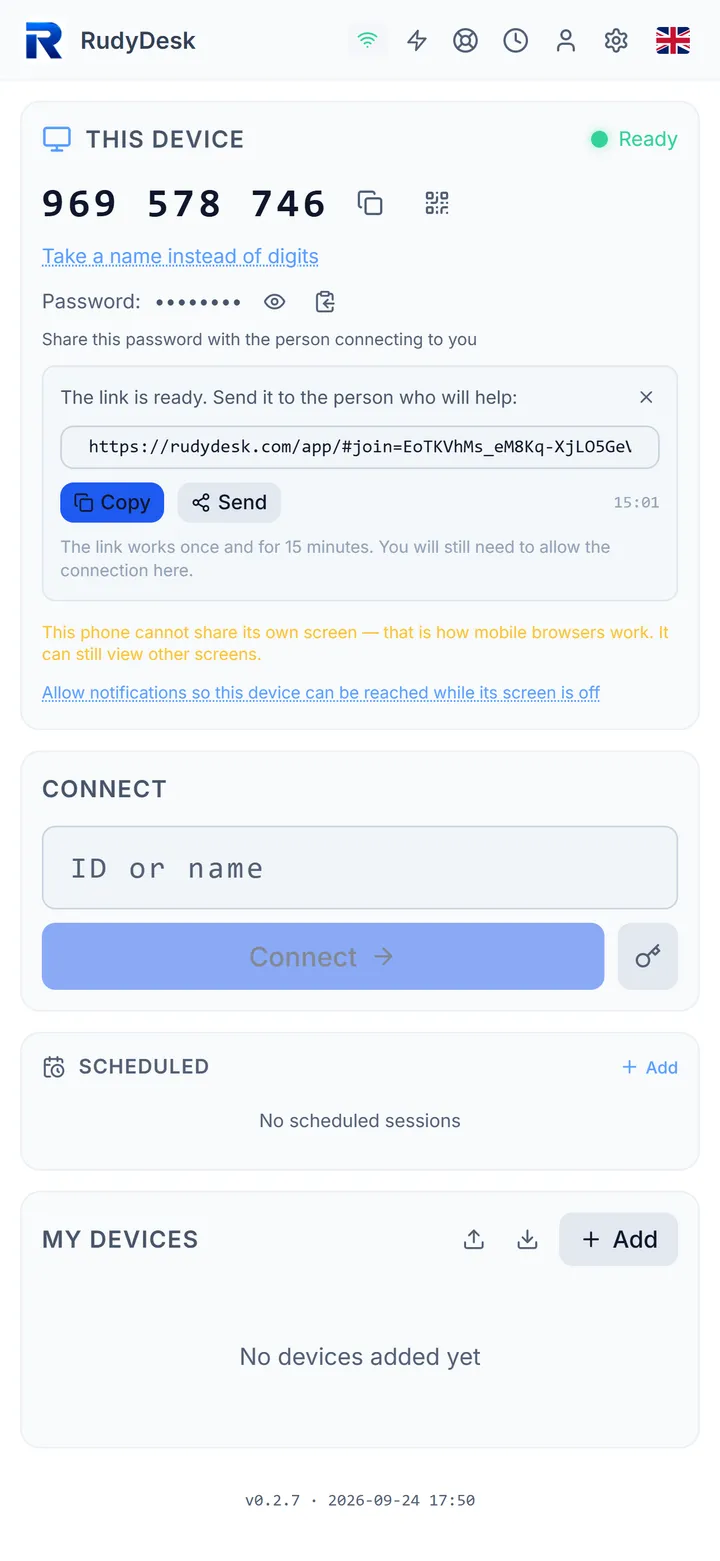
- Your parents press “Invite with a link” in the app and send you the link in a messenger.
- You open the link — on a phone or computer, in any browser.
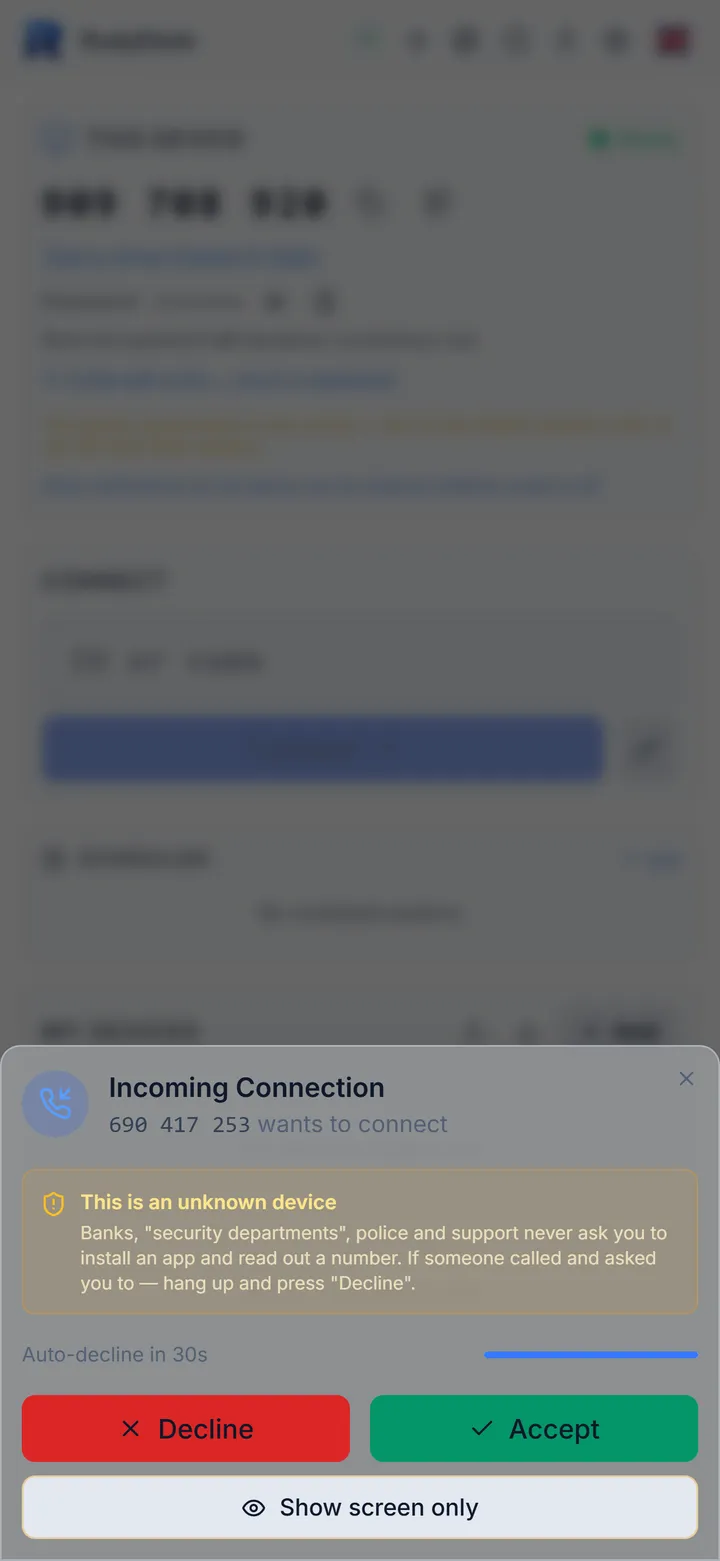
- Your parents see an “Incoming Connection” window. They press Accept.
The link is single-use and valid for 15 minutes. Even with the link, nobody gets in without the Accept click.
Protection from scammers
Older people are often tricked by fake “bank security” and “tech support” callers who ask them to install an app and read out a number. That is why RudyDesk:
- highlights an unknown ID with a warning right in the connection window — before the Accept button;
- offers “Show screen only” — then nobody can control the computer, only watch;
- keeps a journal on the computer showing who connected and what they did.
Give your parents one rule: accept a connection only when they asked you for help themselves. More in the article “Remote access scams”.
If the computer is asleep
If your parents switch the computer off or it goes to sleep, RudyDesk can wake it: through another device on the same network, on a schedule, or with a small ESP32 board. Details are in the article “Your computer fell asleep — how to wake it remotely”.
Frequently asked questions
How much does it cost? Two devices are free forever, with no session length limit.
Can I help from my phone? Yes: open the link on your phone and control the computer by touch.
Can I connect when my parents are not at home? Connecting without confirmation works with the Pro plan or above. On the free plan someone at the computer presses Accept.