AnyDesk asks you to buy a licence: “commercial use” — what to do
In short: free AnyDesk is allowed for personal use only. If the software believes you are working, it asks you to buy a licence. Under AnyDesk’s rules only the side that starts the connection needs a licence — the computer that receives connections does not.
Who needs an AnyDesk licence
AnyDesk’s help centre says it plainly: only outgoing clients — those that start connections to other devices for commercial use — need a licence. Devices that only accept or reject connections do not.
The practical conclusion: if you support clients from your own computer, your computer needs the licence, not your clients’ machines.
What counts as personal use
Personal use means helping family and friends and reaching your own devices for non-work purposes. Connecting to work computers, supporting clients and paid remote support are commercial use. AnyDesk describes this in detail on its “Professional vs. Personal Use” page.
What to do if your use is personal
- Make sure you really do not connect to work computers — not even occasionally.
- If you use AnyDesk only privately and it still asks for a licence, contact AnyDesk support through their website and describe how you use it.
- While you wait for a reply, for urgent help to your family you can use another service — for example a RudyDesk invite link, which opens right in the browser.
What the licence costs
AnyDesk’s first paid plan, Solo, is
If you would rather not pay for a year
For helping family and reaching a couple of your own computers, a yearly licence is a noticeable cost. With RudyDesk two devices are free forever, including for work, and paid plans are billed monthly or yearly — whichever suits you.
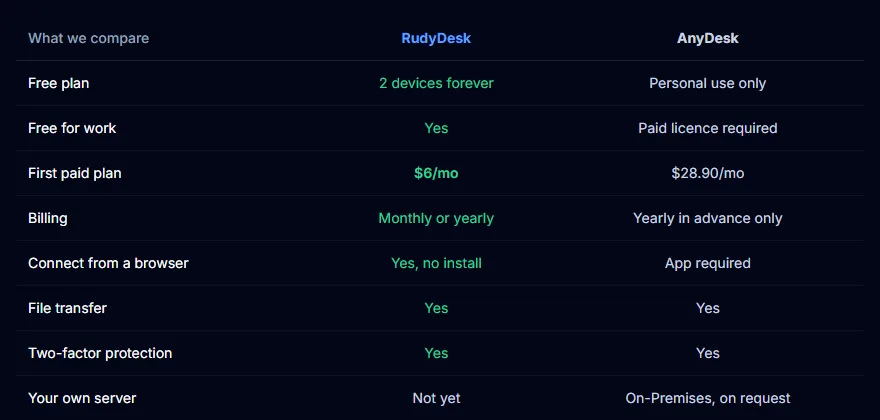
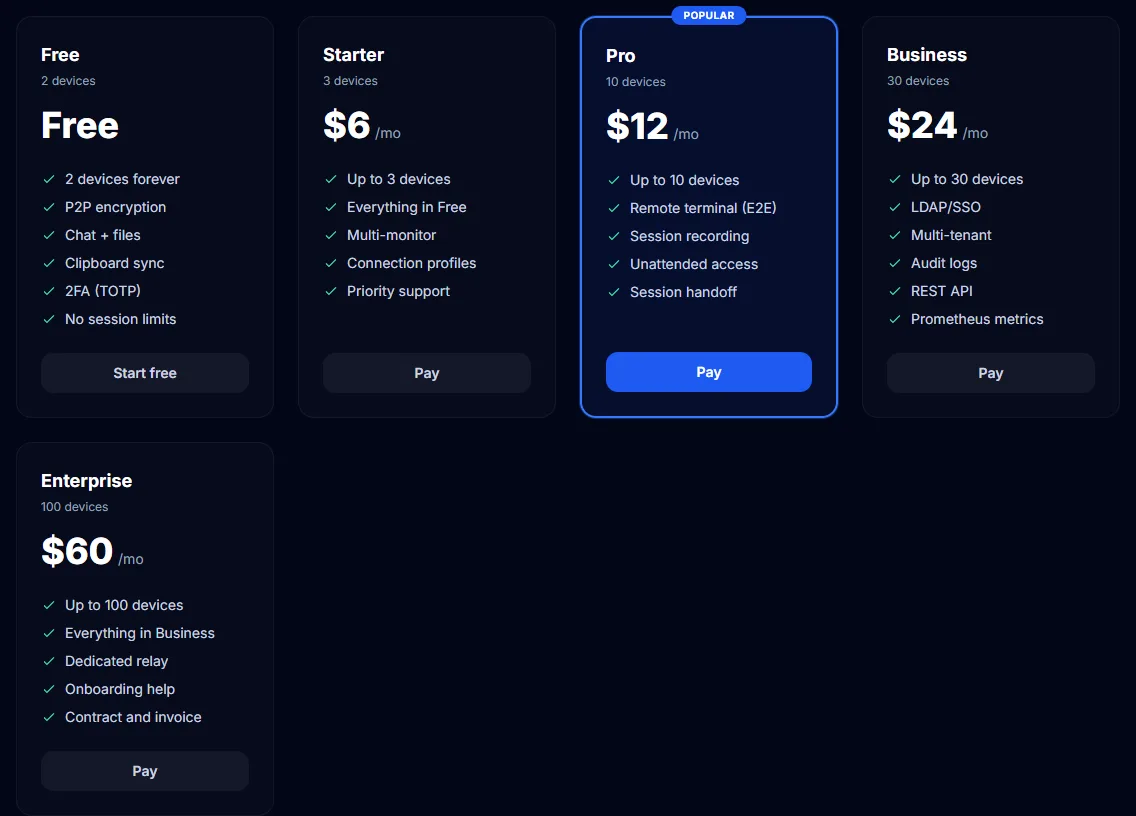
A detailed comparison is on the “AnyDesk alternative” page.
Frequently asked questions
Does the computer being connected to need a licence? Under AnyDesk’s rules, no. The licence is needed by the side that starts the connection for work.
Can I pay AnyDesk monthly? No: on the AnyDesk site all plans are billed yearly, and the monthly price is the yearly price divided by twelve.
Can I use RudyDesk for work for free? Yes, on two devices. RudyDesk has no commercial-use check.